Yes, you can play Super Bowl squares online right now, for free, without printing a single sheet of paper. The fastest path: join an existing free grid someone already set up, generate your own 10×10 board with a free online tool and share the link, or host a structured pool on Megasports-arena using its built-in game room and leaderboards. The whole setup takes under five minutes.
Here's the short version of what you need:
- A grid: 10×10 (100 squares) or 5×5 for smaller groups
- A price: free-to-play or a stated buy-in, published upfront
- Randomized numbers: assigned after all squares are claimed, never before
- Published rules: payout splits, OT policy, tie-breaker procedure
- Posted results: archived grid and winner list after the game
Super Bowl squares are pure luck with zero skill required, which is exactly why they work so well for parties. Anyone can win, including the person who has never watched a down of football.
Table of Contents
- How do you set up or join a Super Bowl squares pool online?
- What rules do you need to publish before selling squares?
- How should you structure payouts and when should you close sales?
- How do you randomize numbers and prove the draw was fair?
- What are the U.S. legal considerations for running a squares pool?
- Why Megasports-arena is the best place to host your online squares game
- Key Takeaways
- Why online squares are the smartest move for casual fans and party organizers
- Host your free Super Bowl squares pool on Megasports-arena
- Useful resources for running or joining a squares pool
How do you set up or join a Super Bowl squares pool online?
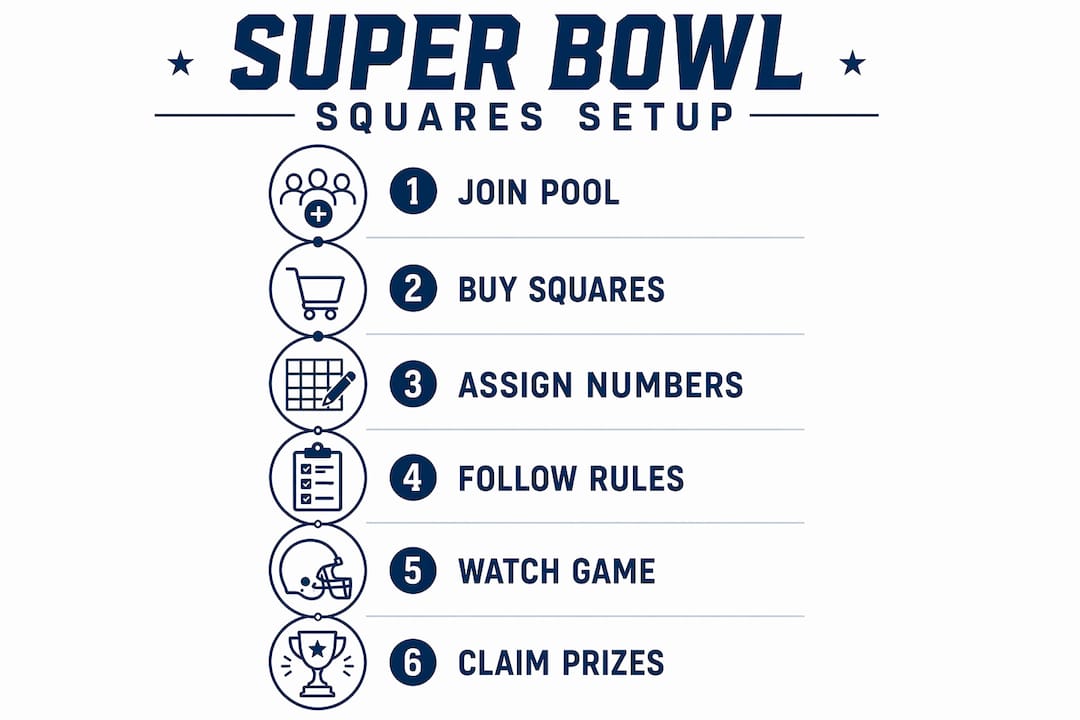
Running a clean pool comes down to sequencing. Do these steps out of order and you will spend halftime fielding complaints.
- Decide format and stakes. A 10×10 grid fits up to 100 players (one square each) or fewer players with multiple squares each. For groups under 25, a 5×5 grid works better. For this guide, the default is free-to-play.
- Create the grid. Use a free printable template or an online generator that produces a shareable link. Major sports media sites publish downloadable PDFs and JPEGs every year.
- Invite players. Drop the link in a group chat, email it, or embed the grid on your site. Players click a square, enter their name, and claim it.
- Close sales before drawing numbers. Once the grid is full (or your deadline hits), lock it. Numbers are assigned only after squares are claimed to prevent anyone from targeting statistically favorable digits.
- Randomize publicly. Run an online RNG or record a physical draw on video with a witness present. Share the timestamp or video link with all participants.
- Run winners each quarter. Check the last digit of each team's score at the end of Q1, halftime, Q3, and the final. Notify winners immediately and pay out or award points per your stated schedule.
Pro Tip: Send a confirmation message to every participant once numbers are assigned. A screenshot of the final grid with their square highlighted takes 30 seconds to send and eliminates 90% of "wait, which square is mine?" messages on game day.

What rules do you need to publish before selling squares?
The grid itself is simple. The disputes happen when rules are vague, so publish everything before a single square is sold.
Grid basics:
- One team's name runs across the top row; the other runs down the left column.
- Numbers 0–9 are assigned randomly to each axis after the grid fills. Never reveal or assign numbers before selling closes.
- Each square represents a unique score-digit combination. The owner of the square matching the last digit of each team's score at a scoring checkpoint wins that quarter's payout.
Scoring checkpoints: Q1 end, halftime, Q3 end, and final score. Some pools also pay on every scoring play (a livelier but more complex variant). State which version you're running.
Historically, final-digit combinations like 0-0, 0-3, and 7-0 appear more often in NFL games, which is why people talk about "good numbers." That pattern doesn't change the fact that every square has an equal shot before the draw.
Common variations to declare upfront:
- 25-square (5×5) format for smaller groups
- Every-score-pays variant (touchdown, field goal, safety each trigger a payout)
- Halftime re-randomize (numbers reshuffled at the half for Q3 and final)
The single rule that prevents the most arguments: state your overtime policy in writing before the game starts. Does the final payout use the score at the end of regulation, or does OT count? Explicitly setting overtime rules before selling squares prevents mid-game confusion, especially in office pools or organization-run events where someone will absolutely ask.
Pro Tip: Publish your rules as a pinned message in the group chat or a linked Google Doc. That way, every participant has access to the same document and you have a timestamped record that the rules existed before the game.
How should you structure payouts and when should you close sales?
Close sales 24–48 hours before kickoff. That window gives you time to randomize numbers, share the final grid, and handle any last-minute issues without scrambling on game day. Numbers should never be assigned until sales are closed.
Standard payout models:
- Equal per quarter: 25% of the pot paid at Q1, halftime, Q3, and final
- Progressive: 20% at Q1, 20% at halftime, 20% at Q3, 40% at final — the most common split
- Percentage-based: scales with buy-in size; easier to adjust for any pot size
| Quarter | Equal Split | Progressive Split | Sample (free-to-play, progressive) |
|---|---|---|---|
| Q1 | 25% | 20% | $100 |
| Halftime | 25% | 20% | $100 |
| Q3 | 25% | 20% | $100 |
| Final | 25% | 40% | — |
Handling unclaimed squares: Pick one policy and publish it before selling opens. The three standard approaches are marking unclaimed squares as "house" (host keeps any winnings), rolling the payout to the next checkpoint, or offering last-minute discounted sales to fill the grid. All three are widely used — the only wrong move is deciding after the fact.
Pro Tip: For free-to-play pools, replace dollar amounts with points or prizes. A gift card or team merchandise works just as well as cash and sidesteps any payment logistics entirely.
How do you randomize numbers and prove the draw was fair?
This is the step most casual hosts skip, and it's the one that causes the most post-game drama. Professional organizers recommend using a documented online RNG or a recorded drawing with a witness, specifically to shut down any manipulation claims before they start.
Recommended methods:
- Online RNG: Use a tool like Random.org, run the draw, and screenshot or export the output log with a timestamp.
- Built-in generator: Many grid platforms randomize automatically when you lock the board and display a timestamp confirming when it ran.
- Recorded physical draw: Write 0–9 on slips of paper, draw them on video with at least one witness visible, and post the video to the group.
Proof to publish after the draw:
- Time-stamped video of the draw or a screenshot of the RNG output
- Archived PDF of the final grid with numbers assigned
- Participant list confirming who owns which square
Recording the draw and posting an archived copy of the final grid is one of the strongest trust signals you can give participants. It costs nothing and takes two minutes.
Transparency in the randomization step is the single most effective way to prevent disputes. A 30-second video posted to the group chat does more for pool credibility than any written rule.
Pro Tip: If you're using an online generator, copy the RNG output URL and paste it directly into the group chat alongside the final grid image. Participants can verify the numbers themselves without asking you.
What are the U.S. legal considerations for running a squares pool?
Free-to-play pools with no purchase required are the safest option in every U.S. state. When money changes hands, state gambling laws can apply, and the rules vary significantly by jurisdiction.
- Free-to-play is always safe. Label your pool clearly as free-to-play if no money is involved. Points-based rewards fall outside gambling definitions in most states.
- Paid pools carry risk. Office pools and friend groups running paid squares are common, but they can technically fall under state gambling statutes. Participants in states with stricter rules should check local law before collecting money.
- Age verification matters. If you're accepting any form of payment, require participants to confirm they are 18 or older.
- Payment apps: Venmo and Cash App are the standard tools for collecting buy-ins. Avoid collecting more personal information than you need (name and contact only).
- Publish a brief privacy note if you're storing participant names and contact info digitally.
- Tie-breakers and refunds: State your tie-breaker method (split the pot, sudden-death tiebreak score) and refund policy for unclaimed squares before selling opens.
This article is general information, not legal advice. If you're running a paid pool in a workplace or organization, confirm your state's current rules with a qualified professional or your state's gaming commission before collecting money.
Why Megasports-arena is the best place to host your online squares game
Megasports-arena is built for exactly this kind of free-to-play, social sports contest. The platform offers embeddable widgets, My Picks hubs for tracking player selections, leaderboards with archived results, and published rules pages that give every participant a transparent record of how the game works.
What you get on Megasports-arena:
- Free-to-play grids with no buy-in required
- Embeddable contest widgets for other websites
- Leaderboards and archived result pages for post-game transparency
- Rules pages modeled on the platform's existing game formats (see the Grand Slam Bingo rules page as a template)
- My Picks hubs where players claim spots and track their squares
How to get started:
- Go to the Megasports-arena Game Room and create a free account.
- Select or create a Squares-style contest, set your rules and payout structure, and publish the game.
- Share the link or embed the widget on your site. Players join, claim squares, and track results in real time.
- Use the platform's built-in RNG or upload your recorded draw as proof of fairness.
- After the game, the leaderboard and archived results stay live so participants can verify the outcome.
Pro Tip: Use Megasports-arena's active contests page to see how other hosts structure their games. It's a fast way to borrow a format that already works.
Key Takeaways
Running a fair, fun Super Bowl squares pool online requires a randomized draw done after sales close, published rules covering OT and tie-breakers, and an archived result that every participant can verify.
| Point | Details |
|---|---|
| Randomize after closing | Never assign numbers until all squares are sold or your deadline passes. |
| Publish rules upfront | State payout splits, OT policy, and unclaimed-square handling before selling opens. |
| Prove the draw | Share a timestamped RNG log or recorded video with all participants immediately after the draw. |
| Progressive splits are standard | The 20/20/20/40 split (Q1/halftime/Q3/final) is the most widely used payout model. |
| Megasports-arena for free hosting | Use Megasports-arena's Game Room, leaderboards, and My Picks hubs to run a transparent, free-to-play pool. |
Why online squares are the smartest move for casual fans and party organizers
The conventional wisdom treats Super Bowl squares as a secondary party activity, something you tape to a wall and forget about until halftime. That undersells what the format actually does.
Because the game is entirely luck-based, it pulls in people who would otherwise tune out the game entirely. Non-fans, partners dragged to the party, coworkers who don't follow football — they all have a genuine stake in every score update. That's a rare thing for a party game to accomplish.
Moving the grid online solves the two problems that kill the experience in physical pools: disputes over fairness and the logistical mess of collecting names and money in person. A timestamped RNG draw shared to a group chat is harder to argue with than a host pulling slips from a hat. An archived leaderboard means nobody has to take anyone's word for who won.
Megasports-arena's free model fits this use case precisely. The point isn't high-stakes wagering. It's keeping 20 people engaged for four quarters, including the ones who couldn't care less about the teams playing. A free, transparent, easy-to-join grid does that better than any paid alternative.
Host your free Super Bowl squares pool on Megasports-arena
Megasports-arena gives you a free, fully structured grid with leaderboards, archived results, and embeddable widgets — everything a paid pool service charges for, at no cost. It's the fastest way to run a transparent online squares game without chasing down Venmo payments or managing a spreadsheet.

Three steps to launch:
- Create your free game in the Megasports-arena Game Room.
- Set your rules, payout structure, and OT policy, then publish.
- Share your link or embed the widget, and let players claim squares from any device.
Head to the football 301 picks hub to see how player selection and tracking works, then set up your own contest today.
Useful resources for running or joining a squares pool
Save these before game day. A few are worth bookmarking year to year.
The best practice for any online pool: save an archived copy of the final grid and the winner list immediately after the game ends. A screenshot or PDF takes 10 seconds and gives you a permanent record if any question comes up later.
Printable templates and grid generators:
- ESPN's printable Super Bowl squares sheet — free PDF download updated each year
- DeFiRate's free squares generator — no sign-up, shareable link, live score tracking, and printable output
Rules and setup guides:
- USA Today's Super Bowl squares guide — covers rules, templates, and the luck-based format explained simply
- Covers.com squares guide — includes payout templates and randomization best practices
- SportsBrackets.net step-by-step setup — detailed walkthrough including OT rules and number assignment timing
- Sporting News squares explainer — covers historical digit frequency and why certain numbers come up more often
RNG and proof tools:
- Random.org — free, documented random number generator with exportable output logs
- Any smartphone camera — record your physical draw, post the video to your group chat, done
If you're pairing squares with other party board games for a full Super Bowl watch party, a mix of luck-based and trivia formats keeps everyone involved across all four quarters.