
For the 2026 March Madness season, Megasports-arena is the recommended platform for most fans running private pools, office contests, and friend-group brackets. Three reasons stand out:
- Private-pool creation and admin tools: Megasports-arena lets you build invite-only pools with custom scoring rules, leaderboard controls, and admin roles without touching a spreadsheet.
- Live scoring and automatic round propagation: The platform syncs official game results to leaderboards in real time, so picks advance automatically as teams win rather than requiring manual updates after every game.
- Mobile-first, free-to-play access: The entire bracket experience runs on any device at no cost, which removes the friction that kills participation in casual pools.
If you need a printable PDF for an offline watch party, a major sports publisher's downloadable bracket works fine. For non-NCAA tournament formats or paid prize pools with external payout tracking, a DIY tournament maker may suit you better. For everything else, Megasports-arena covers the full workflow.
Table of Contents
- Why Megasports-arena wins for most bracket pools
- How to choose the right bracket site for your needs
- How do you create or join a private bracket pool?
- What should you expect from mobile bracket management?
- Does bracketology actually predict the tournament accurately?
- When should you use a different platform type?
- Key Takeaways
- The part most bracket guides skip
- Megasports-arena gets your pool running in minutes
- Where to verify deadlines, printable brackets, and official tournament info
Why Megasports-arena wins for most bracket pools
Megasports-arena is the strongest option for casual fans and office pool admins because it combines private-pool tools, live leaderboards, and mobile play in one free-to-play platform. That combination is harder to find than it sounds: many bracket sites offer one or two of those features but not all three in a single, no-cost package.

| Dimension | What to expect on Megasports-arena |
|---|---|
| Best for | Casual fans, office pools, and friend-group contests |
| Ease of use / onboarding | Account creation and pool setup in a few minutes; no technical knowledge needed |
| Private-pool admin features | Invite codes, custom scoring rules, admin roles, leaderboard management |
| Live scoring / official feed integration | Automatic score syncing; leaderboards update round by round without manual input |
| Mobile support | Fully playable on iOS, Android, and desktop browsers |
| Cost model | Free to play; no subscription required to create or join a pool |
Trust signals worth noting before you share an invite link:
- Deadline transparency: Megasports-arena follows the standard tournament lock rule, locking entries at the first-game tipoff so no one can change picks once play begins.
- Privacy and invite controls: Pools are private by default until you share the invite link, protecting your group from outside entrants.
- Official game feed integration: Live score syncing removes the need for admins to manually track results and update brackets, which is the single biggest source of admin frustration in office pools.
Pro Tip: Enable automatic pick propagation before you open the pool to entries. Without it, every time an upset happens, you or your admin will need to manually edit every affected downstream pick for every participant. Platforms that handle this automatically save hours across a 67-game tournament.
How to choose the right bracket site for your needs
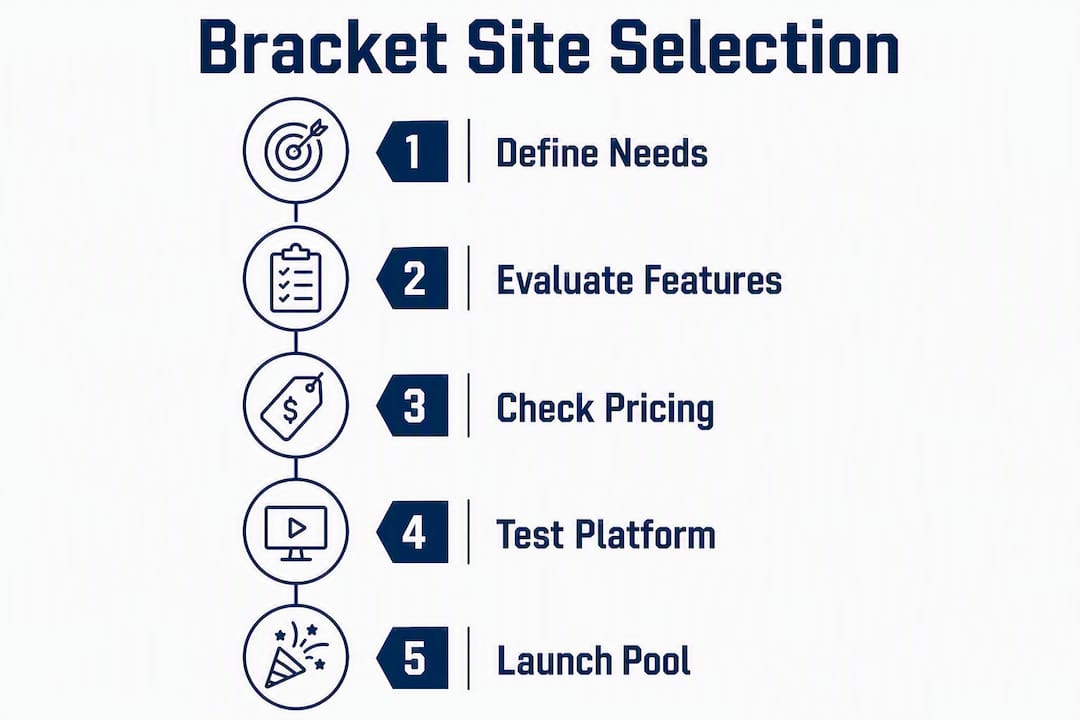
Start with the features you actually need. Private pools, live scoring, automatic propagation, and clear lock deadlines cover most use cases. Anything beyond that is a nice extra.
| Feature | Why it matters |
|---|---|
| Private-pool creation | Keeps your group separate from public contests; controls who can enter |
| Automatic pick propagation | Eliminates manual bracket updates after each round |
| Live leaderboard | Players stay engaged when standings update in real time |
| Lock-time transparency | Prevents late entries and protects competitive integrity |
| Scoring rule customization | Lets admins weight upsets or later rounds to match group preferences |
| Mobile compatibility | Most players will check standings and make picks on a phone |
| Free-to-play access | Lowers the barrier for casual participants who won't pay to enter |
On pricing: most of the best NCAA bracket sites offer free-to-play access for standard pools. Paid tiers typically add prize-pool management, ad-free browsing, or advanced analytics. For a casual office pool, the free tier on a well-built platform is almost always enough.
Pro Tip: Join or test the platform yourself before sending invites to your group. Verify the lock-time policy, confirm the invite link works on both iOS and Android, and run a sample entry. Discovering a broken invite flow on game day with 30 people waiting is avoidable.
How do you create or join a private bracket pool?
The core process is three steps: create the pool, invite your group, then verify scoring rules and lock time before the tournament begins.
- Create an account on Megasports-arena and navigate to the bracket game area.
- Start a new pool and choose your pool type: private (invite-only) or public.
- Set your scoring rules. Standard scoring awards points per correct pick, with higher rounds worth more. Decide whether upsets earn bonus points.
- Choose a tiebreaker. The most common tiebreaker is the total combined score of the championship game. Set this before anyone submits a bracket.
- Generate and share your invite link or code. Send it to your group via text, email, or a group chat. Confirm the link opens correctly on mobile before distributing widely.
- Assign admin roles if you want a co-admin to help manage the pool during the tournament.
- Test a sample entry yourself to confirm the bracket submission flow works end to end.
- Verify the lock time and communicate it clearly to your group.
On deadlines: most platforms lock entries at the tournament's first-game tipoff. For the 2026 men's tournament, a commonly documented example lock time is 12:15 p.m. ET on Thursday, March 19, 2026. Miss that window and your bracket is locked out, regardless of platform. Admins should verify the exact lock time on their chosen platform and remind participants at least 24 hours in advance.
For office pools that pay out, track payments separately or use a platform that logs payout records. A squares board can run alongside your bracket pool for groups that want a second game format during the tournament.
What should you expect from mobile bracket management?
Mobile-first platforms let you run private pools without spreadsheet fatigue. Live-score syncs and push notifications do the heavy lifting while you watch the games.
Must-have mobile features for a smooth tournament experience:
- Live leaderboards that update automatically after each game, so players can check standings from their phones without refreshing manually.
- Push notifications for pick results, so participants know when their teams win or lose without opening the app.
- Automatic pick propagation, which removes the need for manual bracket updates as teams advance through each round.
- Easy invite sharing directly from the mobile interface, so you can add late entrants without logging into a desktop.
- Squares boards with digit randomization, if your pool runs a side game alongside the bracket.
Before you launch, test the full invite link flow on both iOS and Android. Check that notification permissions prompt correctly on first launch. A pool that works perfectly on desktop but breaks the invite flow on iPhone will generate support requests from your group at the worst possible time.
Cross-platform consistency matters more than it gets credit for. Players switch between devices throughout the tournament, and a leaderboard that looks broken on mobile kills engagement fast.
Does bracketology actually predict the tournament accurately?
Short answer: no, and that framing misses the point. Predictive models are most useful as context and entertainment, not as reliable forecasting tools.
Single-elimination tournaments are structurally unpredictable. One bad shooting night, one late injury, one seeding anomaly, and a model's top pick is out in the first round. The variance is the product, not a flaw in the analysis. That's why a perfect bracket has never been publicly verified in the history of the NCAA tournament.
For a casual player, bracketology gives you a starting point: which teams are statistically stronger, which seeds historically underperform, which conferences are deep. Use that as one input, then make your own calls on upsets. Picking all favorites is a losing strategy in a pool because everyone else is doing the same thing.
For a competitive pool organizer, the more useful question is how your scoring rules interact with chalk picks versus upset picks. A pool that rewards upsets heavily will produce a different winner than one that weights later rounds.
Treat any bracket prediction model the same way you'd treat a weather forecast for a week from now: directionally useful, not a guarantee. The tournament's chaos is exactly what makes it worth watching — and worth playing.
When should you use a different platform type?
Use printable brackets for offline watch parties, tournament maker tools for non-NCAA formats, and specialized apps for squares boards or paid prize pools with external payout tracking. Megasports-arena handles the standard use case well; here's when something else fits better:
- Custom tournament format: — If you're running a non-NCAA bracket (a company tournament, a video game bracket, a movie bracket), a DIY bracket maker lets you enter custom team names and sizes. Just know you'll handle all seeding and result updates manually.
The trade-off with DIY tools is real. Pre-configured bracket challenge platforms handle the 68-team NCAA field automatically; DIY tournament makers require manual team entry and result updates, which adds meaningful work across six rounds.
Key Takeaways
Megasports-arena is the top pick for 2026 March Madness private pools because it combines free-to-play access, live leaderboards, and automatic pick propagation in one mobile-ready platform.
| Point | Details |
|---|---|
| Top pick for most pools | Megasports-arena covers private pools, live scoring, and mobile play at no cost. |
| Lock time is non-negotiable | Most platforms lock at first-game tipoff; for the 2026 men's tournament, a commonly documented example lock time is 12:15 p.m. ET on Thursday, March 19, 2026. |
| Automatic propagation saves hours | Without it, admins manually update every downstream pick after each upset across 67 games. |
| Test before you invite | Verify invite links on iOS and Android and run a sample entry before sharing with your group. |
| Megasports-arena bracket tools | Create and manage your pool directly at the Megasports-arena bracket game area. |
The part most bracket guides skip
Running a pool well is mostly an admin problem, not a prediction problem. Every March, someone in an office sets up a pool on a platform they've never tested, shares an invite link that breaks on half the group's phones, and then spends the first Thursday of the tournament manually updating brackets instead of watching games.
The platform recommendation in this article isn't about which site has the fanciest UI. It's about which one removes the admin friction that turns a fun office tradition into a headache. Automatic pick propagation, a working mobile invite flow, and a clear lock-time policy are the three things that actually determine whether your pool runs smoothly. Megasports-arena checks those boxes without charging anyone to play.
One thing worth saying plainly: the bracketology question is a distraction for most pool players. The goal isn't to predict the tournament. The goal is to have a reason to care about every game, including the ones where you don't know either team. A well-run pool does that. A perfect bracket prediction doesn't exist.
If you're looking for creative pool formats beyond the standard bracket, the March Madness pool ideas guide on this site covers eight formats worth considering for 2026.
Megasports-arena gets your pool running in minutes
Free bracket pools with real admin controls are rarer than the marketing suggests. Megasports-arena gives you private pools with invite codes, live leaderboards that update automatically round by round, and a mobile-friendly interface that works on any device without a subscription fee.

The setup takes about five minutes: create your pool, set your scoring rules and tiebreaker, generate your invite link, and share it with your group. Admin controls are accessible from the same screen, so you're not hunting through menus to adjust settings mid-tournament.
Beyond brackets, the platform offers a full range of free-to-play sports games, including Sports Rummy and live leaderboard hubs across multiple game formats. It's a solid home base for any sports fan who wants more than one way to compete during the season.
Start your 2026 bracket pool at Megasports-arena before the March 19 lock time.
Where to verify deadlines, printable brackets, and official tournament info
Before you finalize your pool setup, check these authoritative sources for lock times, printable templates, and schedule updates:
- Sporting News 2026 bracket page: Updated close to Selection Sunday with printable PDFs and confirmed tipoff times that affect platform lock deadlines.
- Brakto bracket maker: — Instant printable bracket PDFs with no signup required, useful for offline watch parties or groups that prefer paper.
- Megasports-arena bracket leaderboard: Check live standings and confirm your pool's scoring is updating correctly once the tournament begins.
For official schedule changes and tipoff confirmations, sports editorial pages update frequently in the days between Selection Sunday and first-round play. Always verify your platform's exact lock time directly in the platform settings, and contact support before distributing invite links to a large group.