
The fastest reliable setup is a tiered one: turn on native alerts for the platforms you compete on most, then layer a central aggregator or browser extension on top to catch everything else. If you want names right now, try Contest Bell, CodingDude, and Contest Calendar Reminder. The quick-install crowd should start with Contest Bell; serious multi-platform users need an aggregator.
TL;DR:
- Using a tiered setup with native alerts on key platforms and an aggregator or extension for broader coverage maximizes contest notification reliability.
- Browser extensions like CodingDude and Contest Bell support multiple platforms with live countdowns or push alerts, but their regular updates and permissions should be verified first.
- The best notification method depends on your workflow, with calendar sync for planning, push alerts for immediacy, and messaging bots for community-centered alerts.
- Regularly testing your notification setup before high-stakes contests and checking permissions prevent missed alerts and setup failures.
- Aggregator tools primarily support Codeforces, LeetCode, AtCoder, and CodeChef, so ensure your chosen tool explicitly supports your preferred platforms.
Table of Contents
- Best Tools for Contest Notifications Across Platforms
- How to choose the right notification solution for your workflow
- How to set up contest notifications in under ten minutes
- Privacy, reliability, and maintenance checks before you rely on alerts
- Where Megasports Arena fits into contest-style alerts
- Single-pane aggregators and browser extensions worth knowing
- Which coding platforms show up most in these notification tools
- A competitive programmer's real-world alert routine
- Megasports Arena: your alternative for contest-style engagement
- Sources
Best Tools for Contest Notifications Across Platforms
Competitive programmers rarely stick to one site, which is exactly why platform-native alerts alone leave gaps. Serious contestants tend to run a dedicated aggregator or browser extension that pulls contests from multiple sites into one feed, because each platform only shouts about its own events, according to a widely referenced Codeforces blog discussion on contest aggregation strategies. Here's a shortlist worth installing today.
-
CodingDude is a browser extension built specifically for competitive programmers who want one running list of upcoming contests. It pulls from Codeforces, LeetCode, AtCoder, and CodeChef, and its standout feature is inline countdown timers right in your new-tab page. It's free, with no account required.
-
Contest Bell focuses on push notifications timed to contest start. It supports Codeforces, LeetCode, AtCoder, CodeChef, and HackerRank, and its best-for case is people who want a phone buzz and nothing else. Free tier covers the basics; check the store listing for any paid add-ons.
-
Contest Reminder leans on calendar sync rather than push alerts, feeding events straight into Google Calendar. It supports the major four platforms plus a few regional judges, and its standout is customizable lead time per platform. Free to use.
-
Contest Calendar Reminder is the aggregator-plus-calendar hybrid: one subscription feed that populates your calendar automatically, no manual entry. Best for people who live inside their calendar app already. Free, with optional donation-based support.
Before trusting any of these with your schedule, check the extension store page for last-updated date and read the permission list, not just the star rating.
How to choose the right notification solution for your workflow
Not every contestant needs the same setup. The right choice depends on how you actually lose track of contests, not on which tool has the flashiest icon.
- Calendar sync fits people who plan their week around a calendar app anyway; it's low-noise and shows up next to your other commitments.
- Push notifications work best for immediacy; nothing beats a phone alert if you truly cannot afford to miss a start time.
- Email digests suit people who check inboxes on a schedule rather than reacting to pings in real time.
- Telegram or Discord bots fit anyone already living inside a community server, since alerts land where you're already talking to teammates.
Weigh platform coverage against maintenance signals. A tool that hasn't been updated in two years and has thirty stagnant reviews is a liability, no matter how clean its interface looks. Match the tool to your actual goal: never-missing a start time calls for push plus calendar redundancy, while just tracking your standing across platforms calls for a lighter, digest-style feed.
Pro Tip: Run two channels for your top three platforms and one channel for everything else. Redundancy where it counts, minimalism everywhere it doesn't, keeps you from tuning out your own phone.
How to set up contest notifications in under ten minutes
Getting a working system running is mostly a matter of order of operations. Do it in this sequence and you'll avoid the most common setup mistakes.
- Install your chosen browser extension (CodingDude or Contest Bell) from its official store listing.
- Grant calendar write access only if you plan to use sync. If you skip this, the extension still works for push alerts.
- Set your lead time. Fifteen minutes is standard; anything under five minutes defeats the purpose.
- Create a test event 24 hours out to confirm the alert actually fires, a step Codeforces' own community guidance recommends before relying on any notifier for a real contest.
- For aggregator feeds, subscribe once and forward that feed to Telegram or Discord using a webhook, or import it into Google Calendar via its iCal link.
A few troubleshooting basics save headaches later. Double check your extension's timezone setting matches your system clock. If you get duplicate alerts, it usually means two tools are watching the same platform. Turn one off rather than muting both.
| Setup step | What to check | Common failure |
|---|---|---|
| Extension install | Store rating, last update date | Abandoned extension, broken alerts |
| Calendar sync | Write permission granted | Alerts silently fail without permission |
| Lead time | Set above 5 minutes | Too-short warning misses the start |
| Test event | Fires within 24 hours | Confirms the whole pipeline works |
Privacy, reliability, and maintenance checks before you rely on alerts
Before any notifier earns a permanent spot on your phone, check what it's actually asking for. Calendar read/write access, account tokens, and notification permissions should all map to a clear reason. If an extension wants contact list access to send you a contest reminder, that's a mismatch worth questioning.
- Check the last-update date on the store listing; anything past 12 months without activity is a warning sign.
- Look for an open issues tracker or visible developer support, not just a five-star badge.
- Confirm the tool lets you set quiet hours or grouped alerts, since platforms increasingly rate-limit and group their own notifications specifically to avoid inbox flooding, and your third-party tool should respect the same principle.
Alert fatigue is the real reason most people abandon a notifier within a month. Grouping similar alerts, capping maximum daily frequency, and setting quiet hours during sleep or work aren't nice extras. They're what keeps you actually reading the alert instead of swiping it away unread.
Where Megasports Arena fits into contest-style alerts
Megasports Arena isn't built for Codeforces or LeetCode, but the underlying problem, keeping people from missing a scheduled event, is one we've solved for sports fantasy contests through features like My Contests and our contest scheduling tools. Publisher sites and community platforms embedding our active contest listings use the same logic: surface the next event clearly, automatically. A coder chasing Codeforces rounds still needs a dedicated coding tool. A publisher running fan contests alongside coding content gets more value from an embeddable feed like ours.
Single-pane aggregators and browser extensions worth knowing
The core value of an aggregator is consolidation, not novelty. Instead of checking Codeforces, then AtCoder, then CodeChef, then LeetCode on four separate tabs, a single-pane view pulls upcoming rounds into one scrollable list, usually sorted by start time. Most browser extensions in this category work by polling each platform's public contest schedule and caching it locally, which is why permission requests for these tools tend to be lighter than people expect: they're reading public schedule data, not your account activity.
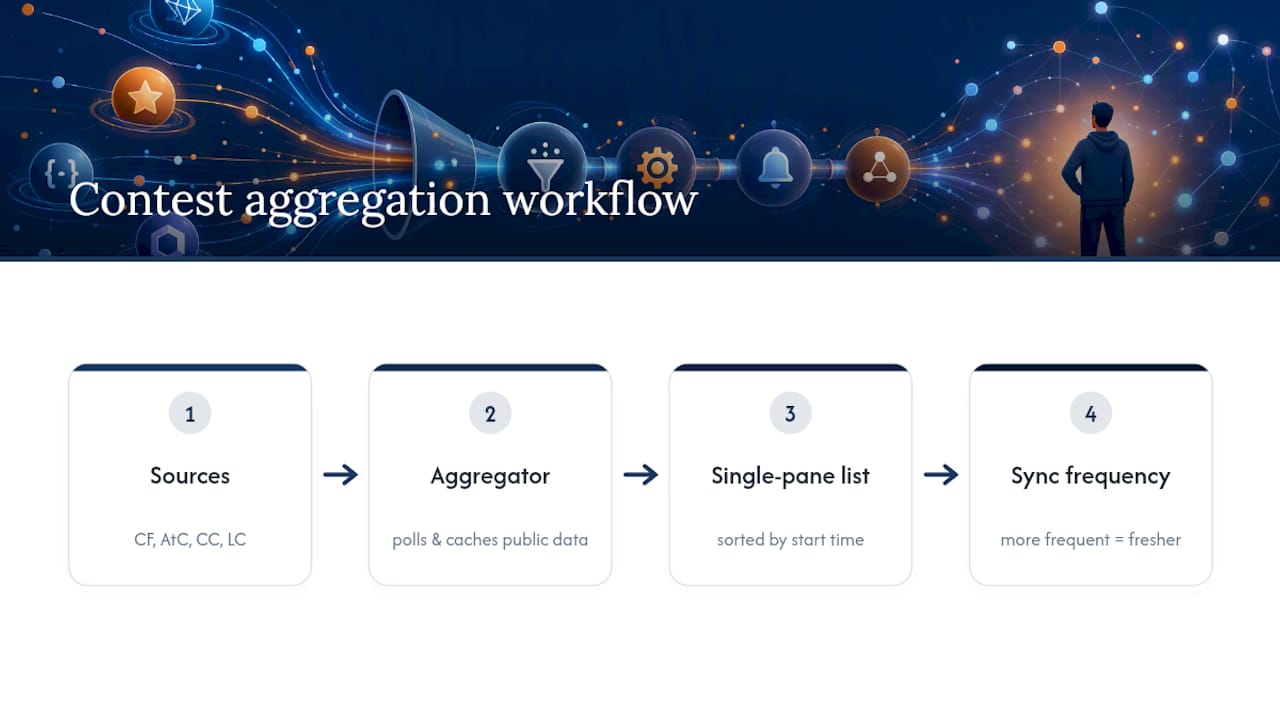
The tradeoff is freshness. An aggregator that syncs once a day might miss a last-minute reschedule, while one syncing every hour catches it. Check the sync frequency listed on the extension's description page before assuming real-time accuracy.
Browser extensions also tend to beat mobile apps for this specific job, since most competitive programmers already work at a desk with a browser open. A new-tab dashboard showing the next three contests, sorted by countdown, fits naturally into a workflow that's already browser-centric. Mobile push still wins for the "I'm away from my desk" case, which is why the tiered approach, extension plus native push, keeps showing up as the practical default rather than a compromise.
Which coding platforms show up most in these notification tools
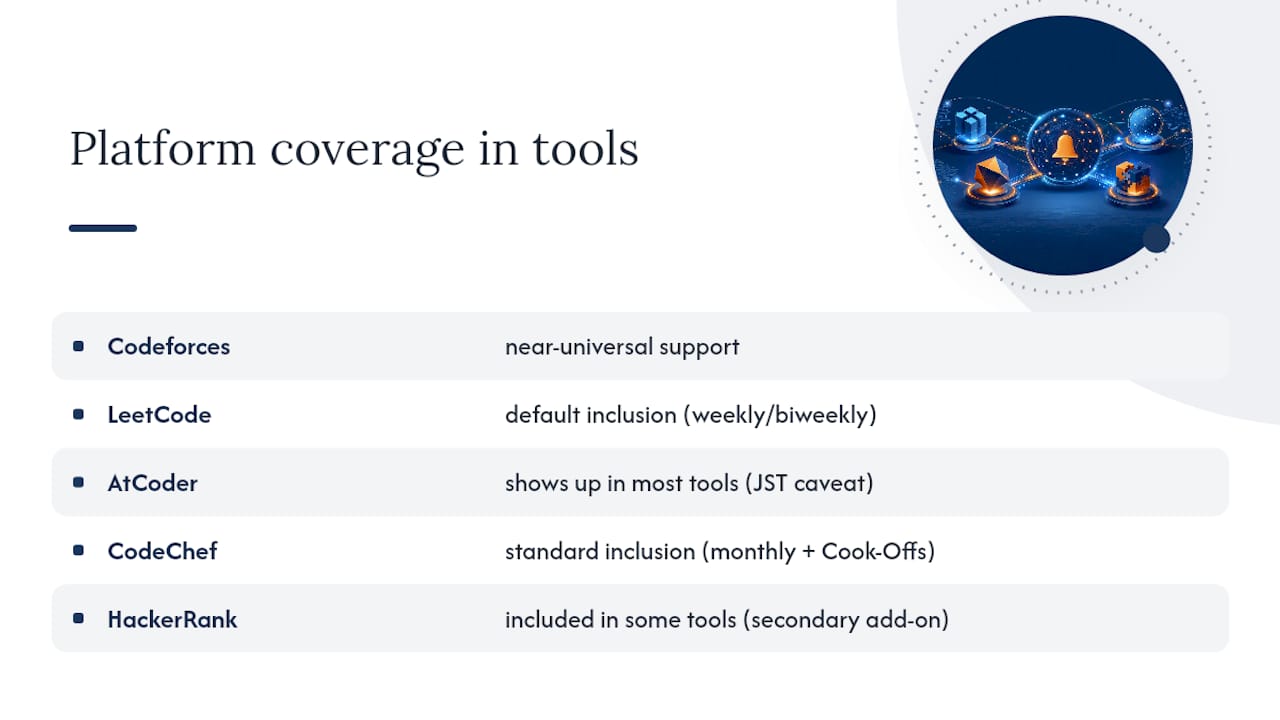
Coverage across notification tools clusters heavily around four platforms: Codeforces, LeetCode, AtCoder, and CodeChef. Codeforces gets near-universal support because of its consistent contest cadence and public API. LeetCode's weekly and biweekly contests are popular enough that most aggregators treat them as a default inclusion. AtCoder, with its distinct rating system and loyal following among competitive programmers chasing algorithmic depth, shows up in most serious tools even though its contest calendar runs on Japan Standard Time, a detail that trips up notification tools that don't handle timezone conversion cleanly.
CodeChef rounds out the standard four, particularly for readers following its monthly long-format contests alongside shorter Cook-Offs. HackerRank appears in some but not all tools, often as a secondary add-on rather than a core supported platform. If a notifier's description page doesn't explicitly list a platform, don't assume support. Check before you rely on it for that specific contest calendar.
A competitive programmer's real-world alert routine
A quick morning scan of your aggregator dashboard, confirming the calendar entries for the week's contests, and a glance at your Discord or Telegram channel for any last-minute reschedules covers most of what you need. Set lead times generously (fifteen to thirty minutes) and mute any channel that's more noise than signal. Before a contest that actually matters, whether it's a rated round or something with a prize on the line, fire a test alert the night before.
Pro Tip: Test your notification pipeline the evening before a high-stakes contest, not the morning of. If a permission has silently expired, you want to find out with hours to fix it, not minutes.
— peter
Megasports Arena: your alternative for contest-style engagement
If you run a sports content site or community and want the same "never miss an event" logic for fan contests rather than coding rounds, Megasports Arena gives you scheduling and embeddable alerts without building that infrastructure yourself. Our platform is the alternative to hiring a developer for contest scheduling: your visitors see upcoming fantasy pools and prediction games with the same countdown clarity a coder expects from a contest tool.

Fantasy sports fans, community managers, and partner sites embedding our content get automatic contest scheduling, leaderboards, and rewards tracking out of the box. If your audience already checks in for game predictions or trivia, our sports rummy game shows exactly how that scheduling and leaderboard structure works in practice. Check the active contests page today to see what's live, or explore how the leaderboard keeps players coming back for the next round.
Sources
- Codeforces blog entry — discussion of contest aggregators and notification strategies
- Can I get email notifications when new designs are submitted to my contest? – 99designs Help Center