
The best contest schedule combines three things: a predictable weekly slate, a handful of concentrated tentpole events, and short-window automated activations before kickoff. This mix drives repeat engagement because players learn when to show up, and it gives operators a clean structure for aligning affiliate content and promotions. This guidance is built around operational experience running contests across multiple sports at once.
Table of Contents
- Contest Scheduling Ideas: Formats and When to Use Them
- Timing and Lock Window Best Practices
- Building a Weekly Cadence Around Tentpole Events
- Automation Rules for Activation, Capacity, and Notifications
- Measuring Whether Your Schedule Is Working
- Where Operators Get Scheduling Wrong
- Put These Contest Timing Ideas to Work with Megasports Arena
- Sources
- FAQ
Contest Scheduling Ideas: Formats and When to Use Them
Every schedule starts with format choice, and each format carries its own timing rules. Contest catalogs typically vary along three axes: entry fee, field size, and prize distribution, and those three dimensions determine which format fits which slot on your calendar, according to research on contest recommendation systems.
Here's how the main formats break down for scheduling purposes:
- Daily slate contests run against a full day's games and tolerate a wider lock window since multiple matchups spread out the risk of any single late injury.
- Showdown or single-game contests need tight timing because they hinge on one matchup, and they often include special lineup roles like Captain or MVP that change payout structure, per format guidance on DFS games.
- GPP tournaments (guaranteed prize pools) work best with larger fields and lower entry fees, often $1 to $5, to fill hundreds or thousands of spots.
- Cash games (head-to-head or 50/50 formats) suit higher entry fees, $5 to $25, with tighter, more predictable payout structures.
- Pick'em contests are forgiving on timing since they aggregate picks across a slate rather than locking on one game clock.
- Season-long contests run on a completely different cadence, needing draft engines and weekly roster processing rather than daily activation, a structural difference from DFS worth planning for separately.
Showdowns demand the strictest scheduling discipline. Season-long formats can tolerate a looser, weekly rhythm.
Timing and Lock Window Best Practices
Lock windows are where good contest scheduling ideas either pay off or blow up in your support queue. Get the timing wrong and you're either killing urgency or fielding refund requests from players whose star running back got scratched ten minutes before kickoff.
A few rules hold up across most operator setups:
- Lock full slates at first game time. This is the simplest rule and it avoids the fairness problems that come from locking individual games separately within one contest.
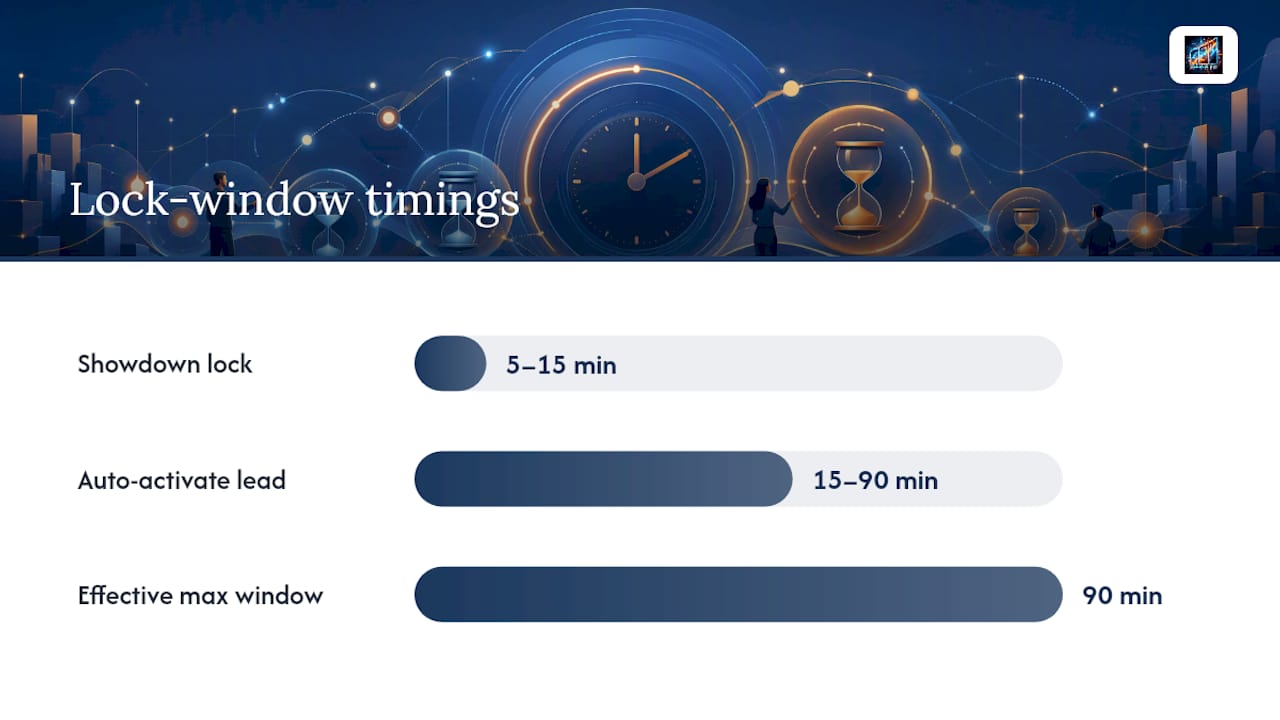
- Lock showdowns 5 to 15 minutes before kickoff. Tighter windows reduce the odds of a late scratch changing the whole matchup's value, since the entire contest depends on one game.
- Auto-activate contests 15 to 90 minutes pregame, with the exact window tuned to expected demand and the operational capacity to handle a late surge of entries, a threshold confirmed by research on temporal features in contest recommenders.
- Account for time zones on national slates. A 1:00 PM Eastern kickoff is 10:00 AM Pacific, and players on the West Coast need clear, consistent labeling or they'll miss the window entirely.
- Build in a buffer for fraud checks. Locking too close to kickoff leaves your support and risk teams no time to catch suspicious entry patterns before money is committed.
The tighter the window, the higher the urgency, but also the higher the operational load on support and fraud review. Widening the window past 90 minutes usually costs you the conversion lift you were trying to capture in the first place.
Building a Weekly Cadence Around Tentpole Events
A steady-state weekly cadence is the backbone of any sports contest calendar. Most operators can run the same slate structure every week during the core season with minimal manual work: launch daily contests each morning, activate showdowns automatically before Thursday and Monday night games, and refresh pick'em contests on a fixed weekly clock.
Tentpole events break that rhythm on purpose, and that's the point. Week 1 of the NFL season, for example, drives a sharp acquisition spike, and playoff weekends concentrate engagement in a way regular weeks don't. Operator data shows that 70% to 75% of annual revenue in daily fantasy sports concentrates in the main season window, according to the DFS NFL season playbook, which makes preseason planning especially worth the extra attention.
A simple calendar sketch might look like this: run a handful of low-stakes preseason contests in August to test capacity and affiliate tracking, launch expanded slate options for Week 1 with extra promotion, hold a steady weekly cadence through the regular season, then scale up field sizes and prize pools again for playoff weekends. Between major seasons, cross-sport formats can keep players active rather than leaving long gaps in the contest calendar.
Automation Rules for Activation, Capacity, and Notifications
Running contests at scale means setting rules once and trusting the system to execute them. A few defaults make that possible:
- Auto-activation windows should be narrower, 15 to 30 minutes, for single-game showdowns, and wider, 45 to 90 minutes, for multi-game slates, adjusting based on live fill-rate signals.
- Capacity gating works best when guaranteed contests stay under roughly 70% of projected demand for that time slot unless you have a reserve to cover overflow.
- Late registration should close at lock time for standard slates, with a short grace period only for pick'em-style formats where late entries don't disrupt fairness.
- Notification cadence matters more than notification volume. Sending too many reminders trains players to ignore them, while well-timed, personalized alerts around lock windows tend to drive real conversion.
Pro Tip: Set a hard rule that no contest opens with a guarantee larger than your last four weeks of average fill rate for that slot. It's a simple check that stops optimism from turning into a loss on unfilled prize pools.
Graph-based notification systems that factor in recent player activity have shown measurable gains in coverage and contest page interactions during online testing, per research on personalized notifications, which is worth considering if your notification system feels generic.
Measuring Whether Your Schedule Is Working
Four numbers tell you most of what you need to know: contest fill rate, entry conversion rate, average entry fee, and player retention in the weeks following a tentpole event. Track these weekly, not monthly, since the contest catalog changes too fast for slow feedback loops to be useful.
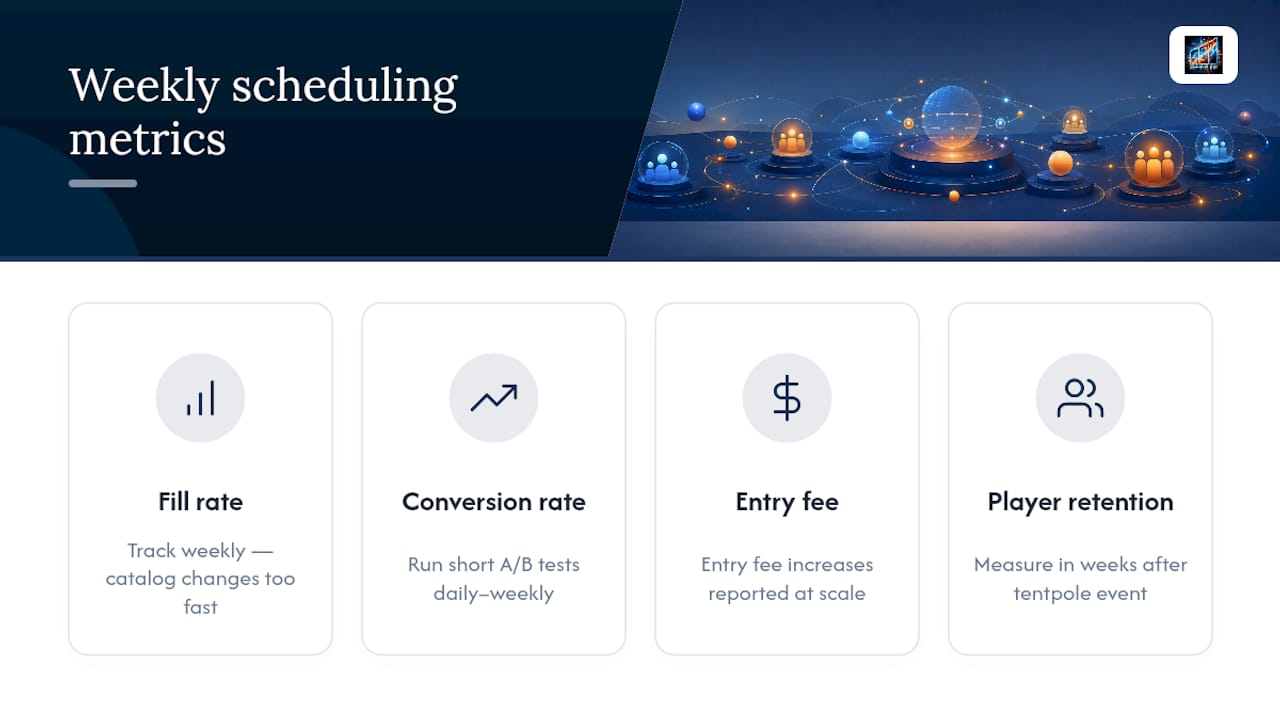
Run short A/B tests, daily to weekly, on lock timing, notification send times, and contest field sizes. One large-scale deployment of personalized contest recommendations reported conversion lifts and entry fee increases at scale, which shows how much timing and targeting can move outcomes when tuned correctly, according to research on real-time recommenders.
Where Operators Get Scheduling Wrong
Most scheduling mistakes come from picking a side too early: either you activate everything aggressively to chase conversion, or you gate everything conservatively to avoid risk. Neither works on its own. The operators who get this right treat activation windows as a dial, not a switch, tightening them for showdowns and loosening them for full slates based on actual fill-rate data rather than habit.
This balancing act is hard to do manually across six sports at once, which makes contest calendar and embed tools valuable. The platform's scheduling structure reflects the same logic covered here: steady cadence for daily offerings, concentrated attention for tentpoles, and automated triggers that don't require someone watching a clock all afternoon.
— Pete Korner
Put These Contest Timing Ideas to Work with Megasports Arena
There are platforms that allow operators to see these scheduling principles in action without building them from scratch. Such platforms run free interactive fantasy and prediction games across multiple sports, with contest scheduling, leaderboards, and archived results built into the system to let users study how activation timing and cadence play out on live contests before deciding how to structure their own.

Browse the active contests page to see current formats, lock windows, and field sizes in real time. If you're evaluating embeddable options for your own site, the general contest landing page shows quick-launch templates you can review, and the betting tools section covers the statistical handicapping features that pair with scheduled contests for more serious players. Check current formats today and see which cadence fits your audience.
Sources
- Scaled real-time recommender at a large DFS operator
- Wide and Deep Interaction Ranker for contest recommendation
- GraphSAGE-based personalized notifications for fantasy sports
FAQ
What Is the Best Lock Window for Daily Fantasy Contests?
Full-slate contests should lock at first game time, while showdowns need a tighter 5 to 15 minute window before kickoff. Multi-game slates can use a 45 to 90 minute auto-activation window, and single-game formats work better with 15 to 30 minutes, based on temporal activation research.
How Often Should I Change My Contest Schedule?
Keep your steady-state weekly cadence consistent through the core season, and reserve schedule changes for tentpole moments like Week 1 or playoff weekends. Roughly 70% to 75% of annual DFS revenue concentrates in the main season window, according to the season playbook, so that's where extra planning effort belongs.
Does Megasports Arena Offer Contest Scheduling Tools?
Megasports Arena runs contest scheduling, leaderboards, and archived results as part of its free fantasy sports platform, and operators can view live examples on the active contests page. Current game options and features are listed directly on the site.
How Do I Avoid Over-Committing on Guaranteed Prize Pools?
This keeps fill-rate risk manageable without requiring manual oversight on every contest.
What Metrics Matter Most for Tuning a Contest Schedule?
Contest fill rate, entry conversion rate, average entry fee, and post-tentpole retention are the four numbers worth tracking weekly. Short A/B tests on lock timing and notification timing tend to produce faster, more reliable signals than monthly reviews.