
Prioritize four moves in this order: fix mobile speed and layout first, add one live/interactive feature per event, push short-form video to funnel traffic back to your site, and layer in a gamified embed like a prediction game or pool. Sites that nail mobile and add real interactivity typically see longer sessions and more repeat visits within weeks, not months. The mobile fix costs the least and pays fastest; gamification takes longer to set up but compounds retention over a season.
TL;DR:
- Prioritize fixing mobile speed and layout first, as it offers the fastest return on investment and significantly improves session duration and repeat visits.
- Use short-form videos on social platforms as traffic funnels, posting highlights quickly after matches and linking viewers to full content on-site.
- Implement live blogs enriched with videos, polls, and fan reactions to boost engagement and make content harder for AI to replicate, especially during marquee games.
- Embed simple interactive contests like prediction pools or trivia on high-traffic pages to encourage repeat visits and collect valuable user data.
- Develop a structured offseason plan with mini-series, contests, and loyalty points to maintain audience interest and prevent engagement loss when games are not in season.
Table of Contents
- How Do You Increase Engagement on a Sports Website With Social Video?
- What Are the Highest-Impact Tactics to Boost Sports Website Interaction?
- Building a Fan Hub That Keeps Visitors Coming Back
- Which Live Features Actually Create Second-Screen Behavior?
- How Should You Use Data to Turn Visitors Into Repeat Fans?
- Keeping Fans Engaged During the Offseason
- What I'd Test in the Next 30 Days
- Add an Embeddable Game to Your Site With Megasports Arena
- Sources
How Do You Increase Engagement on a Sports Website With Social Video?
Mobile accounts for a majority of sports website traffic, and short-form video consistently posts the highest engagement rate of any content format, with TikTok clips showing notably high engagement per post in recent industry benchmarks. That's not a reason to abandon your site for social platforms. It's a reason to treat TikTok, Instagram Reels, and YouTube Shorts as the top of a funnel that dumps traffic straight back onto your pages.
The move that works: post the highlight clip natively on the platform, but caption it as a teaser. "Full breakdown + exclusive quotes on the live blog" beats a generic caption every time, because it gives scrollers a specific reason to tap through instead of just liking and moving on.
A few execution notes that separate sites that convert social attention into site visits from those that don't:
- Cut clips to under 30 seconds for the platform feed, then link the extended cut or full analysis only on-site.
- Post match highlights within 15 minutes of final whistle. Speed beats polish here.
- Use consistent link-in-bio or pinned-comment routing to your live blog or game recap, not your homepage.
- Schedule a lighter cadence on off-days: one behind-the-scenes or player-interview clip, still funneling to a static hub page.
Cadence matters as much as content. Match days deserve a burst, three to five clips spread from pregame through postgame reaction. Off days need just enough to stay in the feed algorithm without burning out your editorial team.
What Are the Highest-Impact Tactics to Boost Sports Website Interaction?
Not every tactic pays off at the same speed. Ranked by return on effort, here's what to build first if you're trying to increase sports site traffic and keep people clicking once they arrive.
- Live blogs with real interactivity. A play-by-play feed alone won't cut it anymore; fans can get that from a score ticker. What works is folding in short video clips, embedded fan reactions, and quick polls mid-event. The Athletic has leaned hard into video-enriched live blogs specifically because that format increases stickiness and is harder for AI scrapers to replicate. Quick start: pick one weekly marquee game, add one embedded poll every quarter or period, and track average time spent on the blog page.
- Polls and predictions. Simple "who wins" or "next play" polls create a habit loop. Participation features like these turn one-off visits into recurring behavior when you run them consistently rather than sporadically. Quick start: add one poll per article on game days, promote results in your next post, watch poll completion rate.
- Embeddable playable games. A prediction pool or trivia widget embedded directly on your page keeps fans on-site instead of bouncing to a third-party app. Quick start: embed one interactive contest widget on your top three highest-traffic pages, then measure return visit rate over two weeks.
- Push notifications and targeted email. Sports-sector email open rates average around 24.5%, which is solid for a re-engagement channel that costs almost nothing to run once it's set up, according to the same industry benchmark data. Quick start: segment by favorite team, send one pregame alert and one recap alert per week, track open and click rate by segment.
- Content personalization. Even basic "articles about your team" modules lift pages per session. Quick start: tag content by team and player, surface a "more like this" module, watch pages per visit.
Pro Tip: If your team is small, don't try all five at once. Run the live blog and one poll for a single month, nail the workflow, then layer in the next tactic. Trying to launch everything in week one is how engagement projects die in committee.
Building a Fan Hub That Keeps Visitors Coming Back
Structure decides whether a visitor scans one page and leaves or sticks around for ten. A fan hub built for retention usually organizes around five modules: live scores and streams, video highlights, player and team pages, a community or comment layer, and a light commerce or contest tie-in. Fan hubs that tightly integrate these pieces see higher return frequency and lifetime value than sites that scatter the same content across disconnected templates.
Mobile-first design isn't optional when the majority of your traffic arrives on a phone. Top-performing sports sites hold average session times near a few minutes and several pages per visit, and the sites beating those benchmarks are usually the ones that load fast and put the highest-value content above the fold, per sports industry benchmarks.
Practical priorities for the build:
- Target sub-3-second load time on mobile; anything past that and bounce rates climb fast.
- Put live score or score ticker content above the fold on every page, not just the homepage.
- Use progressive disclosure: show the headline stat first, let readers tap to expand box scores or full recaps.
- Build "next best action" recommendations at the bottom of every article, pointing to a related player page or live thread.
- Keep navigation to five or fewer top-level items; a cluttered menu kills mobile session length.
Get the hub right and the rest of your engagement strategies compound instead of competing for attention.
Which Live Features Actually Create Second-Screen Behavior?
Second-screen behavior, fans watching the game on TV while interacting on your site, is where the biggest engagement gains hide. But it only works if what's happening on-screen feels different from what's on the broadcast.
A live blog earns its place only if it adds something the broadcast doesn't: short reaction clips, embedded fan comments, a running poll on who's the game's best performer so far. Straight play-by-play duplicates what viewers already see on their TV. Reporter-led live blogs paired with video have measurably increased stickiness at major publishers precisely because they layer in something extra.
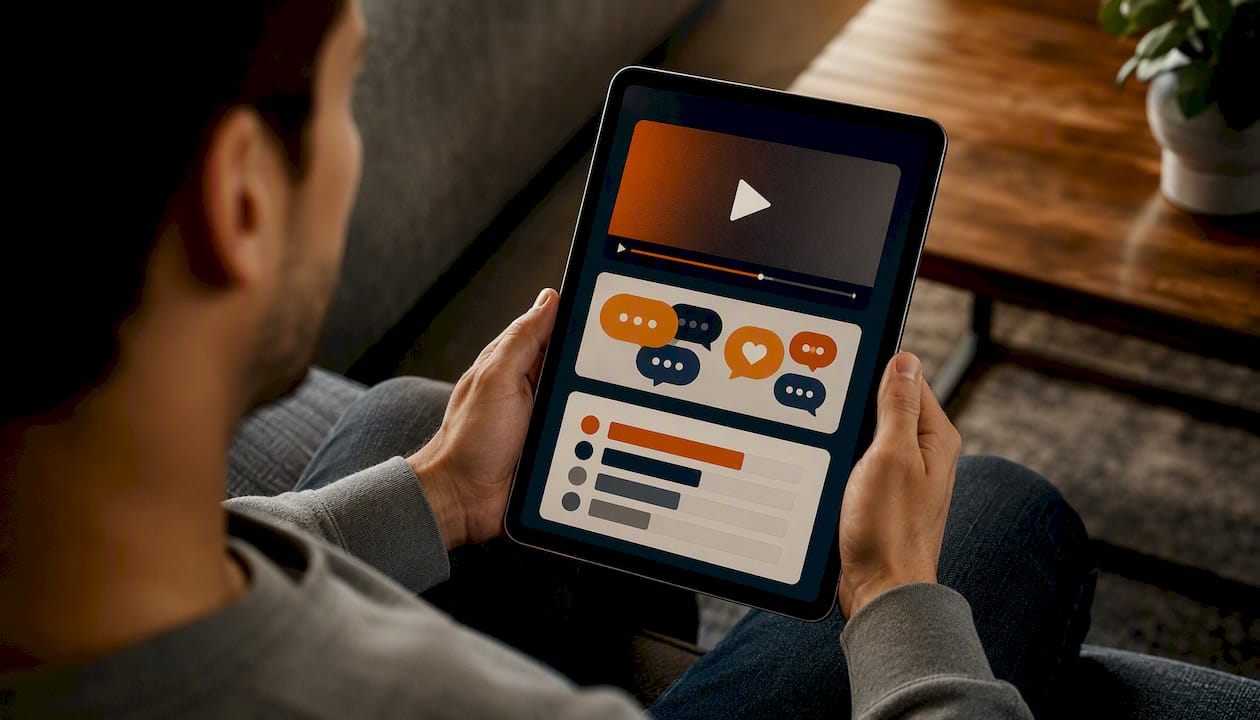
On the technical side, vote overlays and prediction widgets need to load without blocking the primary content stream. A widget that stutters or takes three seconds to register a vote will get abandoned mid-game. Interactive stream overlays work best when they're lightweight and update in near real time, not on a delayed refresh cycle.
Moderation is the part teams underestimate. Once you open comments or fan submissions during a live event, volume spikes fast, and a single unmoderated ugly exchange can tank the vibe of an otherwise good thread.
- Pre-set banned word filters and require a moment's delay before posts go public during high-traffic windows.
- Assign one moderator per major live event; don't rely on auto-filters alone.
- Archive standout fan reactions for a recap post the next day, which extends the content's life beyond the live window.
Pro Tip: Test your vote overlay under real load before a marquee game. A widget that works fine with ten testers can buckle under 2,000 concurrent votes, and that failure happens exactly when your audience is watching.
How Should You Use Data to Turn Visitors Into Repeat Fans?
Personalization only works if you're collecting the right first-party signals from day one, before you try to build anything clever on top of them.
Start with three data points: team and player preferences (inferred from what someone clicks or explicitly selects), contest or poll participation history, and push notification opt-in status. None of this requires invasive tracking. A simple "follow your team" prompt at signup does most of the heavy lifting.
Once you have that, personalization tactics get straightforward:
- Send team-specific game alerts instead of one blanket notification to your entire list.
- Show "players you follow" modules on the homepage instead of a generic trending list.
- Trigger a saved-player alert when that athlete is mentioned in breaking news.
- Segment email by engagement tier, active weekly users get different content than dormant subscribers.
A benchmark worth building toward: sports-sector email open rates average around 24.5%, so if your team-specific alerts aren't beating that number, your segmentation needs work, not your subject lines.
Run this as an actual experiment, not a permanent guess. Pick one segment, one personalization tactic, and track return rate, time on site, and highlight completion rate over four weeks before rolling it out further.
Keeping Fans Engaged During the Offseason
The offseason is where most sports sites lose the audience they spent all season building. The fix is treating the gap between events as programming, not dead air.
Mini-series work well here: a weekly "where are they now" feature, archived-game rewatches with new commentary, or a preseason prediction series that builds toward opening day. None of these require live-event infrastructure, which makes them cheap to sustain.
Loyalty mechanics carry the weight the rest of the year. A points system, a completion streak for daily trivia, or a leaderboard tied to a season-long prediction pool gives fans a reason to open the app or site even when there's no game to watch. Gamified competition formats built around streaks and leaderboards tend to outlast simple one-off content because they reward consistency, not just attention.
- Build a content calendar that maps offseason weeks to specific formats: interviews, archive content, prediction series.
- Schedule at least one recurring contest (weekly trivia, monthly bracket challenge) to anchor the calendar.
- Reserve your loyalty points or badges for actions that matter: daily visits, poll completion, contest entries, not just page views.
- Revisit your offseason engagement calendar every year rather than rebuilding it from scratch.
What I'd Test in the Next 30 Days
Run three experiments, not ten. First: add a live poll to one marquee match and track completion rate. Second: embed one playable game or contest on your highest-traffic page and watch return visits over two weeks. Third: build a single short-form video funnel from clip to on-site recap and measure click-through. Build a lightweight dashboard tracking those three KPIs before adding anything else.
— peter
Add an Embeddable Game to Your Site With Megasports Arena
There are services that give sports website owners a faster path to gamified engagement features without building a prediction engine, leaderboard system, or contest scheduler from scratch. 
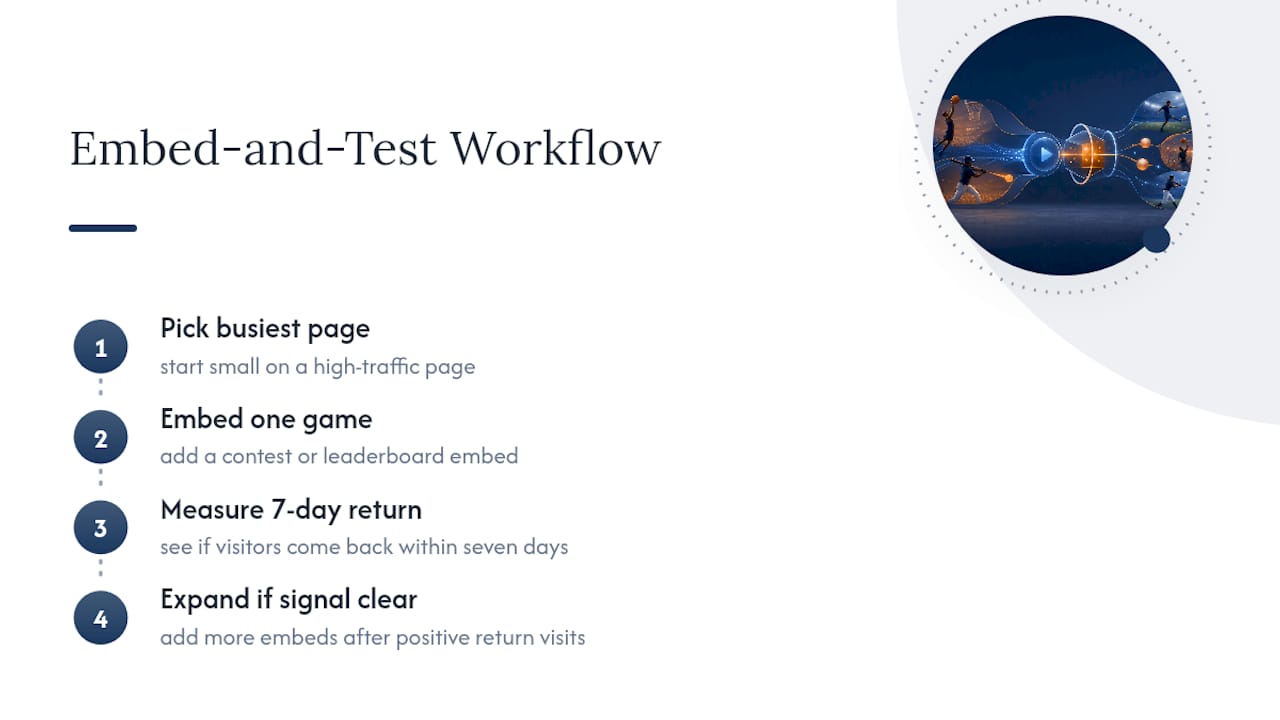
Embeddable games and leaderboards give visitors a reason to come back between articles, not just during them. A sports-rummy pool, a bracket challenge, or a trivia contest embedded directly on your page keeps fans clicking inside your domain instead of bouncing to a separate app, and every completed contest is a data point you can use for the personalization tactics covered above. Publishers who add one contest to a high-traffic page tend to see the clearest signal in return visit frequency within the first few weeks, so start small: pick your single busiest page, embed one game, and measure whether visitors come back within seven days before expanding further.
If you want to see how the mechanics feel before committing to an embed, try the sports rummy game, an example of an embeddable game you can try directly, and check the leaderboard structure for a preview of what a scheduled contest could look like on your own site.
Sources
- Sports Industry Marketing Benchmarks 2026
- The Athletic invests in live blogs, video to insulate sports coverage from AI scraping
- How to Build Fan Engagement in Sports | Contribly